
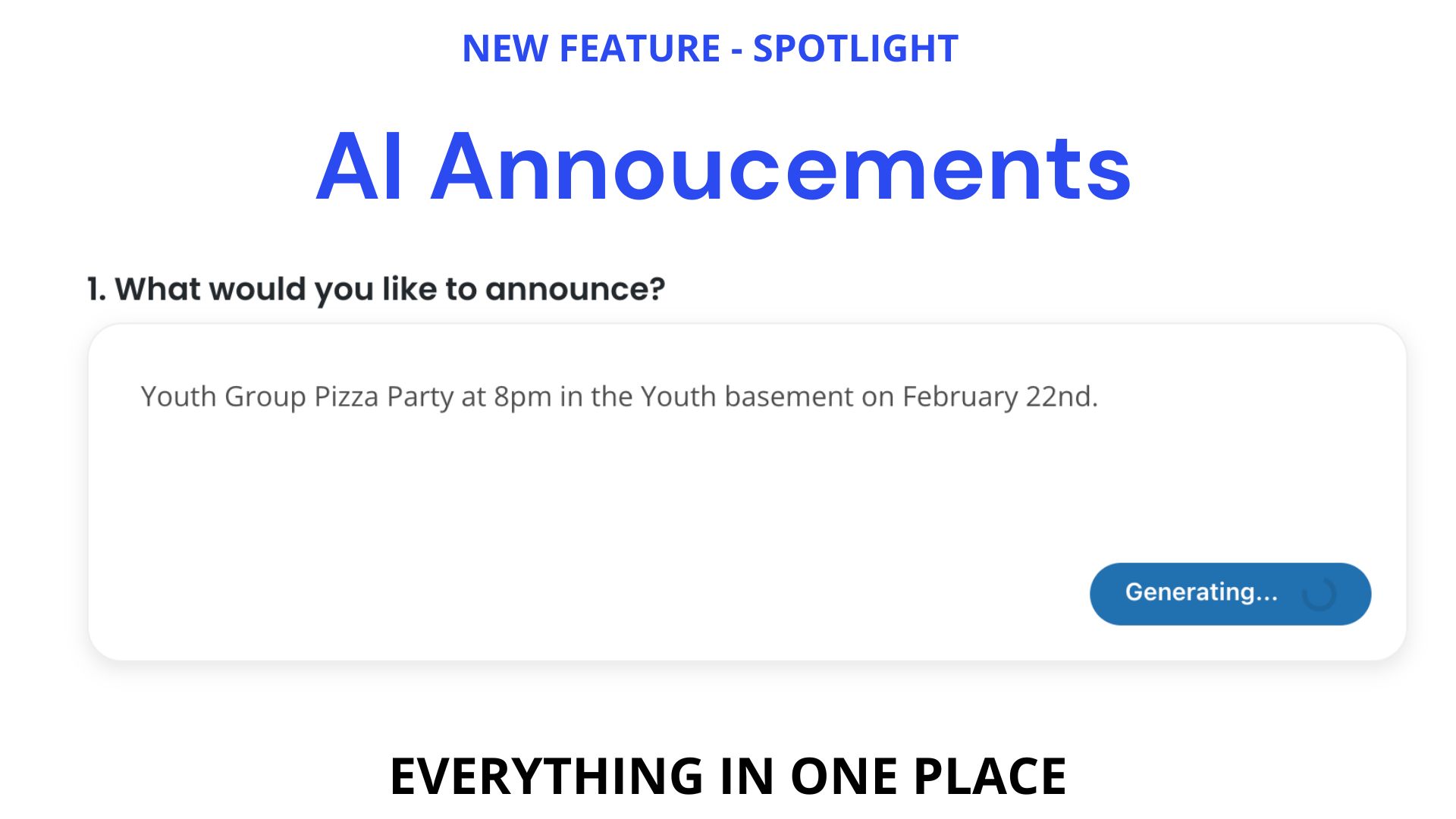
Streamline Every Announcement with Our New AI Announcement Feature
Keeping your church or organization informed shouldn’t feel like a full‑time job. That’s why we’re excited to introduce our new AI Announcement Feature, included in our Tent Apps package. It’s designed to help you (and your team or volunteers) create consistent, polished announcements and publish them everywhere they need to go—all from one simple form.
In this post, we’ll walk through how it works on the front end (what your staff or volunteers see), and highlight some of the powerful tools available on the admin side.
One Simple Question: “What Would You Like to Announce?”
Everything starts with a single prompt:
“What would you like to announce?”
Let’s say you’re planning:
Youth group pizza party at 8 p.m. in the youth basement on February 22nd.
You type that into the field and click “Generate Announcement.” In just a few seconds, the AI builds out a complete announcement for you.
From One Prompt to a Complete Announcement
Once you hit generate, the tool creates:
- Title
A clear, compelling title for your event. - Description
A full description that you can use across your website, bulletins, and more. You can edit any part of it, but the heavy lifting is already done. - Excerpt for Bulletins & Newsletters
A short, tailored blurb perfect for:- Printed bulletins
- Digital bulletins
- Newsletter previews
- E‑newsletters sent through our platform
The system automatically pulls this excerpt wherever a short snippet is needed, keeping everything clean and consistent.
Social Media Included: Facebook & Instagram Posts
Your announcement doesn’t stop at your website and bulletin. The AI also creates:
- A ready‑to‑post Facebook caption
- A tailored Instagram caption
On the backend, you can customize how these are generated. For example, you can set rules like:
- “Instagram posts should always include relevant hashtags.”
- “Facebook posts should always include one or two emojis.”
Once you set these preferences, the AI follows those rules every time—saving you time while keeping your posts on‑brand.
Smarter Image & Media Management
Every great announcement needs great visuals. Our new feature integrates with our Unique Image backend, so you can manage graphics for multiple contexts in one place.
You can:
- Upload or select one image for your website
- Choose a different image for:
- Horizontal TV slideshows
- Horizontal motion video graphics
- Vertical slideshows
These images then integrate seamlessly with:
- Your TV slideshows
- ProPresenter
- Other digital signage locations
If a volunteer is filling out the form and doesn’t have graphics ready, they can simply select “I need help with graphics.” That triggers a notification to the admin so your design or communications team knows exactly what’s needed.
Publish Once, Post Everywhere
After the content is generated and the images are selected, the form asks:
“Where do you want to publish this?”
With just a few clicks, you can send your announcement to:
- Digital bulletin
- E‑newsletter
- Homepage
- Youth ministry page (or other ministry pages)
- Print bulletin
- ProPresenter
- Sign‑ups and events page
- TV slides
You choose the destinations, and the system takes care of the rest.
Automatic End Dates So Nothing Stays Outdated
No one wants old events lingering on the website or TV screens.
That’s why the form also asks:
“Does this announcement have an end date?”
You can specify the date and even the time—for example:
Ends February 22 at 9:00 p.m.
Once that time hits, the announcement is automatically removed from:
- ProPresenter
- TVs and announcement slides
- Website pages
- Other selected channels
No more manual cleanup, no more hunting down outdated announcements.
Built‑In Building & Resource Requests
Many announcements come with logistics: rooms, tables, tech, and more. The front‑end form includes an optional Building & Resources Request section.
For example, you might add:
Youth room + 4 tables with a TV, chairs at each table.
On the backend, you can configure who gets emailed when a building or resource request is submitted—this can be one person or multiple people (e.g., facilities, tech, administration). That means everything is in one flow: the announcement and the support it needs.
Some organizations even connect these submissions to tools like Zapier and Planning Center to trigger workflows and automations.
Clear Submitter Information & Approval Workflow
At the bottom of the form, your staff or volunteers add:
- Name (e.g., Zach Esger)
- Phone number
Here’s what happens when they click Submit:
- The submitter (like the youth pastor) gets a confirmation email.
- The site admin also gets an email saying:
“You have a new announcement request ready for your approval.”
That email includes a link directly to the announcement, where the admin can:
- Review and edit text
- Adjust images or destinations
- Approve and publish with a single click
On the backend, admins also have additional controls, including:
- Save as draft
- Publish everywhere immediately
- Bypassing submitter information when the admin is creating content directly
Front-End Simplicity, Back-End Power
We’ve intentionally simplified the front-end form so that:
- Staff
- Volunteers
- Even congregation members (if you choose)
can submit announcement requests quickly and easily without needing to learn a complicated system.
Meanwhile, the backend keeps all the advanced options available for admins, including:
- Editing AI social post behavior (hashtags, emojis, tone, etc.)
- Managing publishing destinations and defaults
- Configuring who receives building and resource request notifications
- Integrating with your existing tools and workflows
Building on a Proven AI Assistant
You may already be familiar with our AI content assistant in the backend. You’ve been using it to help draft announcements, descriptions, and more.
This new feature brings that same power:
- Further into the front end so more of your team can use it
- While adding new options, like:
- Auto-generated Facebook and Instagram posts
- Streamlined publishing to multiple channels
- Integrated building/resource requests
The result is a much more efficient, unified process for sharing what’s happening in your church or organization.
Ready to Streamline Your Announcements?
Our new AI Announcement Feature is included in our Tent Apps package and is ready for you to start using today.
If you’re tired of:
- Copy‑pasting content into multiple places
- Chasing down graphics
- Manually turning announcements off after events end
this tool is built for you.
Have questions or want help getting set up?
Reach out to our team—we’d love to walk you through how to tailor the AI Announcement Feature to your specific workflow.




0 Comments